Interacting with Encrypted Traffic Using mitmproxy and Burp Suite
Dec 19, 2025
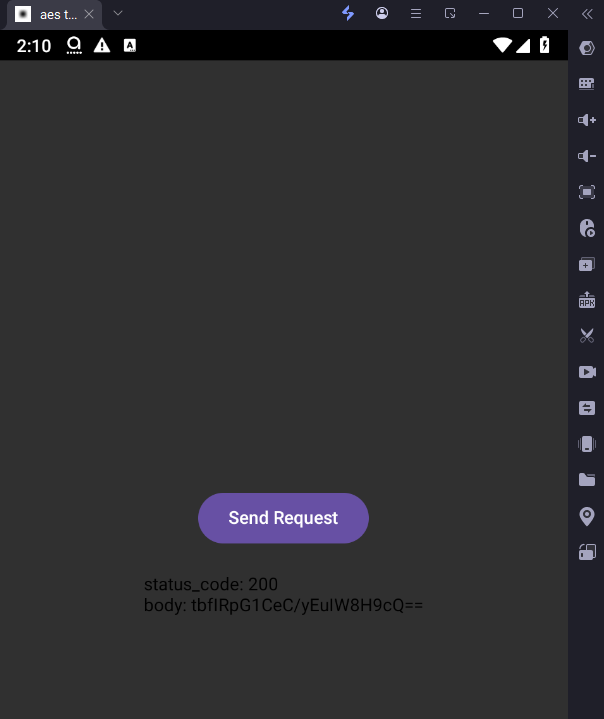
When encountering an application that encrypts its network traffic, a common first attempt is to use the AES Killer Burp extension.

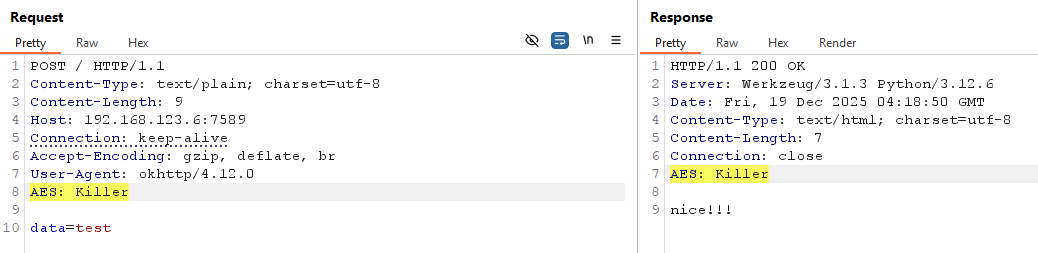
However, this approach becomes limited when the application implements custom encryption logic. One effective alternative is to combine mitmproxy and Burp Suite to transparently decrypt and re-encrypt traffic as it passes through.
1. Idea
The idea is to use two MITM proxies, with Burp Suite positioned in between.
Architecture — two MITM proxies with Burp Suite in between
Flow in Detail
Request Flow
Client → MITM1: The request is encrypted → MITM1 decrypts it → forwards the plaintext to Burp.
Burp → MITM2: The request is in plaintext → MITM2 encrypts it → sends it to the server.
Response Flow
Server → MITM2: The response is encrypted → MITM2 decrypts it → Burp receives the plaintext.
Burp → MITM1: The response is in plaintext → MITM1 encrypts it → the client receives it.
2. Setup a test environment
Server: Source
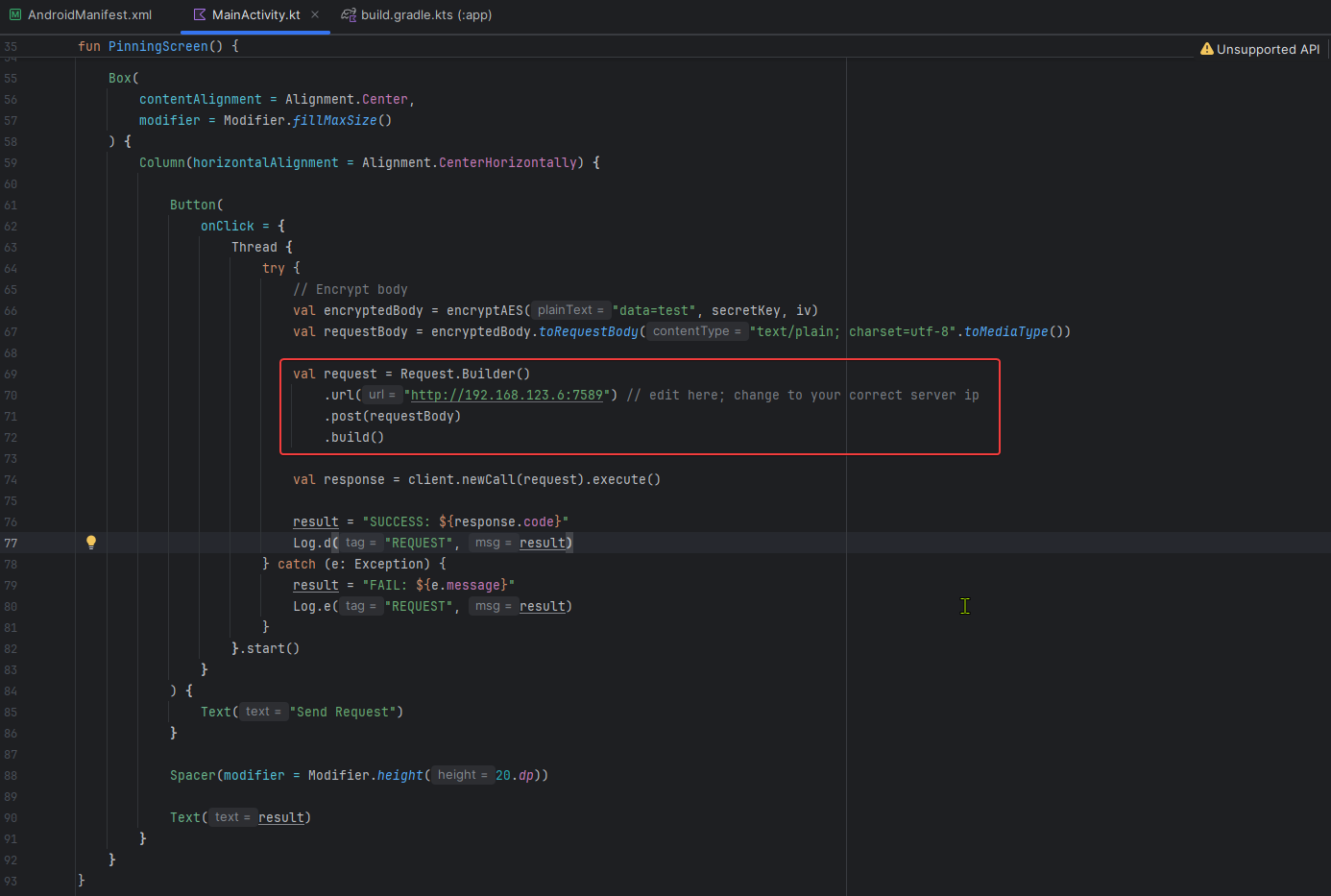
ClientApp: Source
Update the server IP address accordingly.
3. Configuration
Burp Suite
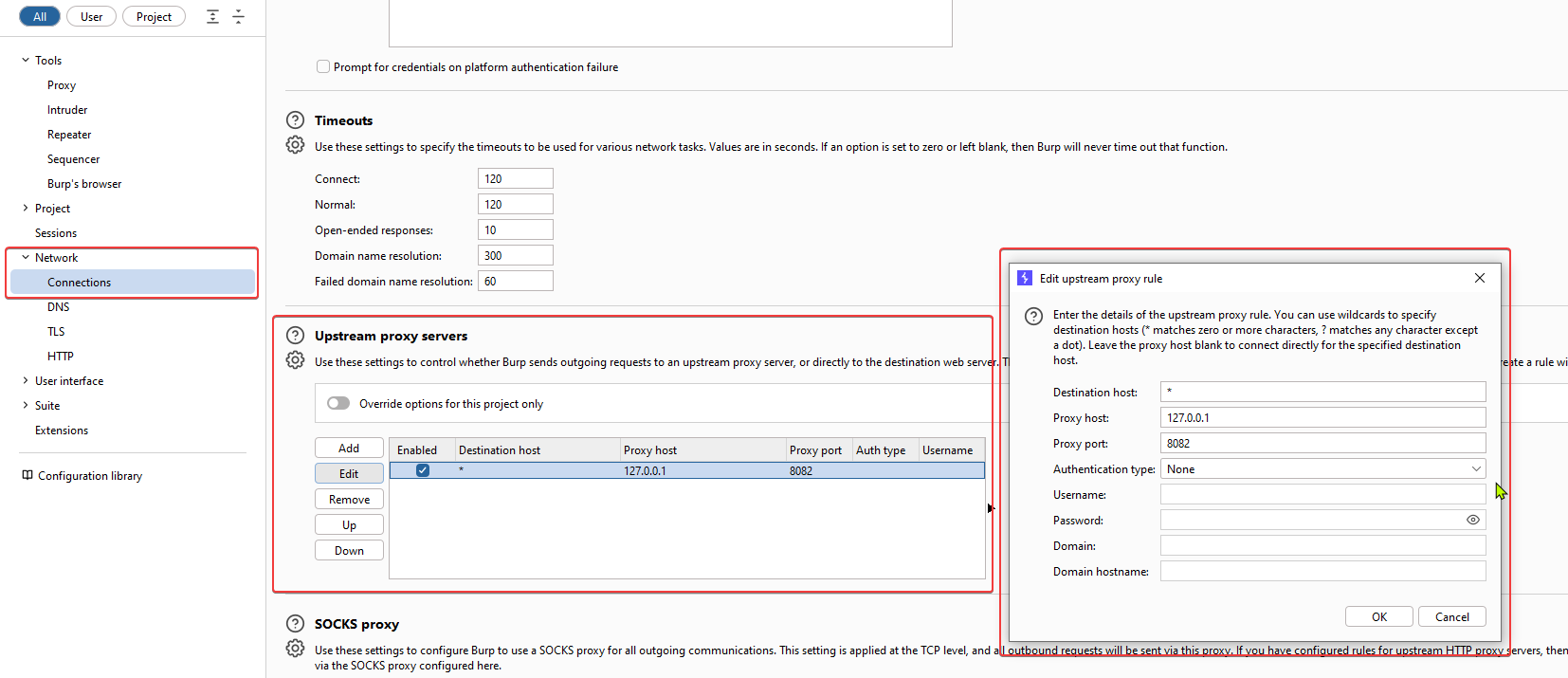
Proxy → Upstream Proxy

MitM Proxy
mitm1.py: Source
mitm2.py: Source
Test
1. Run the server (app.py)
2. Install the application on a device or emulator
3. Run MitM #1
mitmdump -s mitm1.py --mode upstream:http://127.0.0.1:8081 --listen-port 8080 --ssl-insecureListen on port 8080 for traffic from the client. Forward requests to Burp at 127.0.0.1:8081, and relay responses back.
4. Run MitM #2
mitmdump -s mitm2.py --mode upstream:http://SERVER_IP:SERVER_PORT --listen-port 8082 --ssl-insecureReplace http://SERVER_IP:SERVER_PORT with the appropriate value. This proxy listens on port 8082 for traffic from Burp, forwards requests to the server, and relays responses back to Burp.
For example:
mitmdump -s mitm2.py --mode upstream:http://192.168.123.6:7589 --listen-port 8082 --ssl-insecureResult